

Gone are the days when a WiFi router was just a black box with blinking lights, hidden in a closet. For the millions of households with dozens of connected devices—from laptops and phones to smart speakers, thermostats, and security cameras—managing a home network can feel overwhelming. Enter Xfinity xFi, Comcast’s sophisticated answer to the modern connectivity challenge. But what exactly is it, and how can it transform your home internet experience? This complete guide will walk you through everything you need to know about the xFi platform, from its powerful hardware to its intuitive software controls.
Beyond the Basic Router: Understanding xFi
Xfinity xFi is not just a single product; it is a comprehensive digital home platform that integrates advanced hardware, intelligent software, and cloud-based management tools. At its core, xFi is designed to give you unprecedented visibility and control over your home WiFi network. Instead of fumbling with complex IP addresses and confusing admin panels, xFi puts the power of network management into a sleek, user-friendly dashboard accessible via the Xfinity app and your TV with the X1 voice remote.
The system represents a significant evolution from the standard ISP-provided modem-router combo. It transforms a once-static device into a dynamic, learning system that prioritizes security, personalization, and whole-home coverage. Whether you are a tech novice or a seasoned pro, xFi aims to simplify digital life.
The Hardware: Gateways and Pods
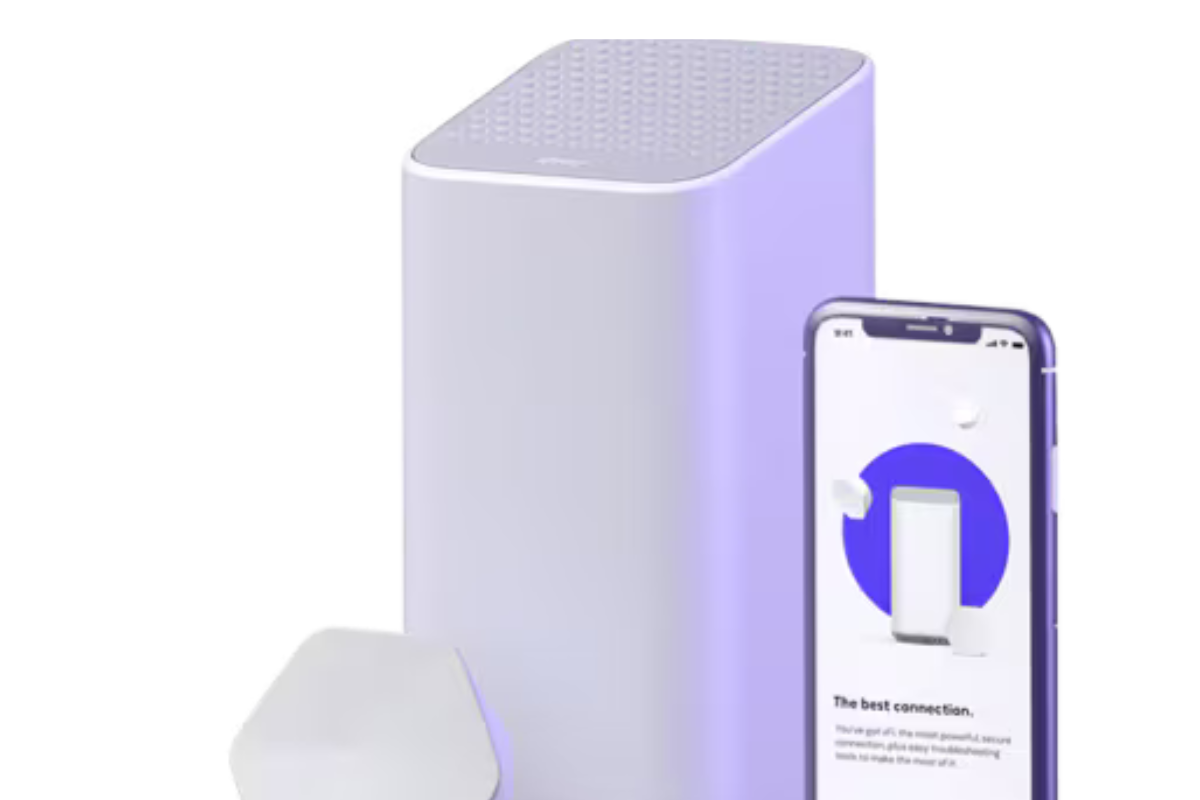
The xFi experience begins with the hardware. The foundation is the xFi Gateway (such as the XB6, XB7, or XB8 models), a powerful device that acts as both a cable modem and a WiFi router. These aren’t your parents’ routers; they are built to handle the demands of a modern smart home. Comcast claims these advanced gateways can manage connections for hundreds of devices simultaneously, utilizing the latest WiFi technologies to deliver multi-gig speeds and low-lag connections perfect for gaming and streaming.
However, even the most powerful router can struggle to cover every corner of a larger home. This is where xFi Pods come into play. These small, elegant devices plug directly into electrical outlets and work seamlessly with your xFi Gateway to create a mesh network. Instead of simply extending your signal (which can sometimes create a second, weaker network), xFi Pods work in concert to create a single, unified, and powerful WiFi network throughout your entire house. The system intelligently directs your devices to the strongest signal, whether from the main gateway or a nearby Pod, ensuring a stable connection in basements, garages, and far-flung bedrooms. For customers with xFi Complete, a whole-home coverage plan, a pod may be provided at no extra cost if a network evaluation determines it’s needed.
Looking ahead, Comcast is even introducing solutions like Storm-Ready WiFi, which leverages a backup battery and cellular connection to keep your network online even during a power outage, ensuring you stay connected when you need it most.
The Command Center: The Xfinity App
The true genius of xFi lies in its software. The primary interface for controlling your network is the Xfinity app (available for iOS and Android). It transforms complex network management into a series of simple, intuitive taps. Upon opening the app, you are greeted with a clear overview of your network, showing you what devices are connected and allowing you to dive deeper into management.
The app is the central hub for all of xFi’s key features, from setting up a new gateway to troubleshooting a slow connection. It replaces the need for clunky web portals and puts the user firmly in the driver’s seat, whether they are at home or on the go.
Key Features: Personalization and Control
Once you open the Xfinity app, a world of customization awaits. Here are the standout features that make xFi a powerful tool for families and power users alike:
User Profiles: The system allows you to move beyond a list of anonymous devices. You can create individual profiles for each member of your household (e.g., “Mom’s Laptop,” “Kid’s Tablet”). This is the foundation for all the personalized controls that follow.
Parental Controls: This is one of xFi’s most celebrated features. With profiles set up, you can implement detailed internet policies for your children. You can:
Pause WiFi: Instantly pause internet access to a specific child’s devices with a single tap—perfect for dinner time or an immediate digital detox.
Set Downtime Schedules: Create recurring schedules, such as “Bedtime” from 9 PM to 7 AM on school nights, during which their devices will be automatically blocked from the internet.
Active Time Limits: Set daily time limits for weekdays and weekends. When the time is almost up, the primary account holder gets a notification, and you can choose to automatically pause the device once the limit is reached.
Content Filtering: Enable “Parental Controls” to block access to websites and apps deemed inappropriate for all ages. This even enforces SafeSearch on Google and Bing and turns on Restricted Mode on YouTube.
Activity Monitoring: With a feature called Active Time Details, you can get a granular view of how time is spent online. It shows time spent on specific apps and categories of websites, broken down by the hour, to help you understand your family’s digital habits.
Protecting Your Digital Kingdom: xFi Advanced Security
In an era where cyber threats are increasingly targeting smart home devices, security is paramount. This is where xFi Advanced Security shines. Powered by AI and machine learning from security leader Cujo AI, this service provides an always-on shield for your entire network.
Unlike traditional antivirus software that protects a single computer, xFi Advanced Security sits at your gateway and monitors all traffic to and from the internet. It analyzes data patterns to identify and automatically block suspicious activity, malware, and phishing attempts in real-time before they can reach any device on your network—including those without screens or keyboards, like smart thermostats and cameras.
The service is remarkably “set it and forget it.” Once enabled on a compatible xFi Gateway, it works immediately, protecting every connected device. If a threat is blocked, you’ll receive a simple notification via the app, giving you peace of mind without technical jargon. Since its launch, Comcast has stopped billions of such cybersecurity threats, highlighting the sheer volume of attacks the service deflects.
What’s Included and What’s Not
Understanding the pricing and prerequisites for xFi features is key. The core xFi experience—including the app, user profiles, parental controls like Pause and Downtime, and basic network management—is included at no extra cost for Xfinity Internet customers who lease a compatible xFi Gateway.
The more advanced features are often bundled or available for a fee:
xFi Advanced Security is generally available for a monthly fee (around $5.99/month), but it is frequently included as a free benefit for those leasing a gateway or as part of a larger package.
xFi Complete is an upgraded plan that typically includes the gateway rental, xFi Advanced Security, and a guarantee of whole-home coverage, which may include xFi Pods if needed.
Interestingly, new pricing strategies from Comcast now bundle many of these features. New “everyday price” internet plans with a 5-year price lock often include the advanced gateway, unlimited data, and advanced cybersecurity protections all in one predictable monthly price. This simplifies the decision for customers, making robust WiFi management a standard part of the internet service.
Some Technical Considerations
While xFi is designed for simplicity, it’s helpful to be aware of how it interacts with other privacy tools. For instance, Apple’s iCloud Private Relay, a feature for iCloud+ subscribers that encrypts internet traffic, can interfere with xFi’s ability to manage and secure your network. If iCloud Private Relay is enabled on an Apple device, features like Advanced Security, Parental Controls, and Active Time Details will not work on that device. This is because the traffic is encrypted and routed through Apple’s servers, hiding it from the xFi gateway. Users who prioritize xFi’s security and parental control features are advised to disable Private Relay while on their home WiFi.
Additionally, while user reviews for xFi Pods are generally positive for eliminating dead zones, some users note that performance can vary based on home construction and placement, and the system’s automatic band-steering doesn’t allow for manual configuration preferred by some tech enthusiasts.
Conclusion: Is xFi Right for You?
Xfinity xFi represents a massive leap forward in what an internet service provider can offer its customers. It successfully transforms a commodity utility—the WiFi router—into a valuable, feature-rich platform for the connected home. For families, the granular parental controls are a game-changer, providing tools to manage screen time and protect children online in a way that was previously difficult. For smart home enthusiasts, the robust mesh capabilities and AI-driven security offer a solid foundation for a growing ecosystem of devices.
While there are minor technical nuances, such as its interaction with iCloud Private Relay, the overall package is compelling. By integrating advanced hardware with an intuitive app and powerful security, xFi gives you the power to not just connect to the internet, but to truly manage your home’s digital life. If you are an Xfinity customer, exploring the xFi app is the first step toward a smarter, more secure, and more controllable WiFi experience.
